
From the backend menu, select Vinnies Connect Settings → Email Settings
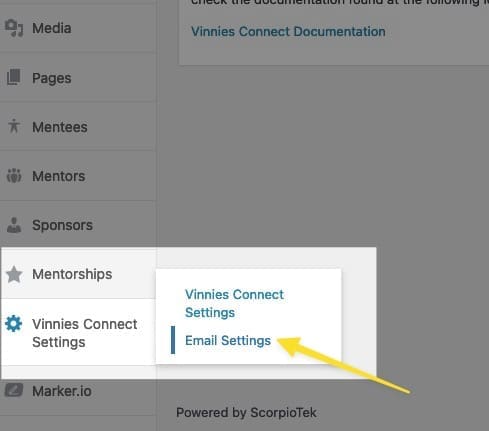
You will be presented with the Email Settings Pane:
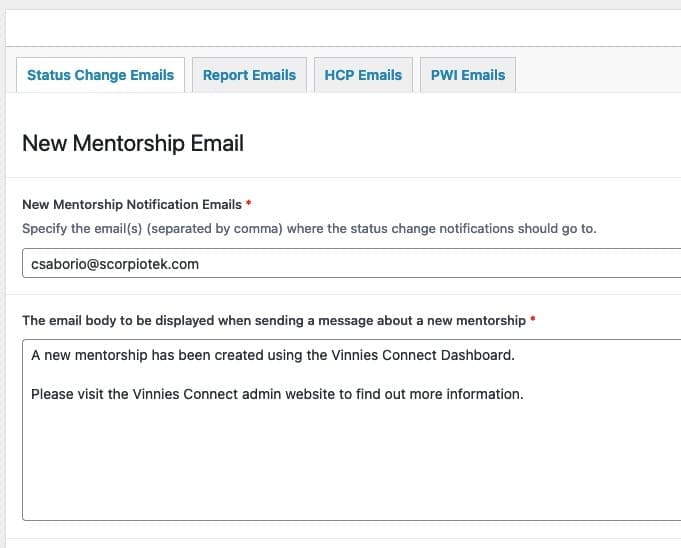
At the time of this writing, email settings are separated into 4 areas:
Each tab/area allows you to configure the email properties (such as subject, carbon copy recipients, and body message) for different events.
For example, if you select the Status Change Emails tab and scroll down to the section that reads: “Participant becomes Available”, you can modify the email properties that are sent when a coordinator sends a message to a participant:
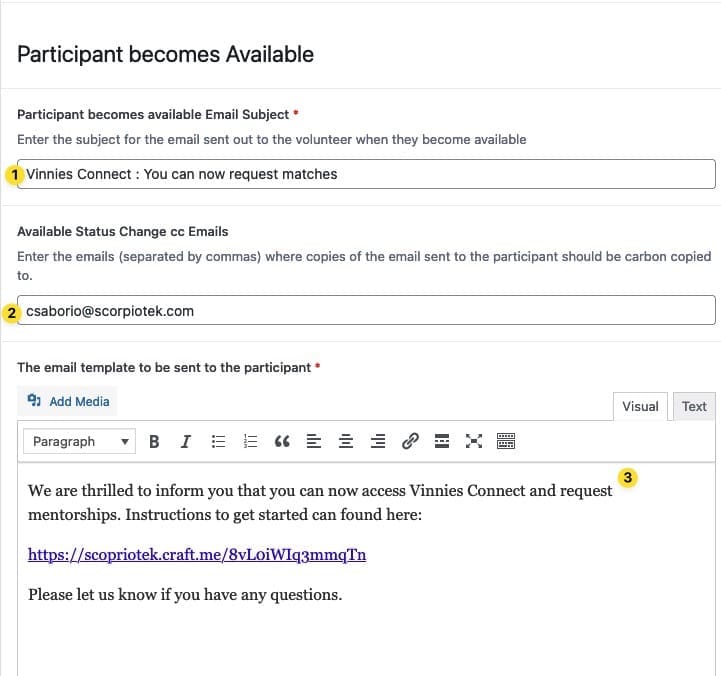
In the image above, you can see the properties that can be modified:

The St Vincent de Paul Society NSW is a member-based lay Catholic organisation that has been assisting people experiencing poverty and disadvantage across NSW for 135 years.
We acknowledge Aboriginal and Torres Strait Islander peoples as the Traditional Custodians of this land, with deep respect. May Elders, past and present, be blessed and honoured. May we join together and build a future based on compassion, justice, hope, faith and reconciliation.